 NOTLUX WartungLogbook for emergency lighting

Paper, Excel or app? The honest comparison.
An emergency lighting logbook is mandatory – the standard does not prescribe its form. Paper, Excel and app each have their place. Here you can see what fits when, and where most time is lost.
For iPhone and iPad · free download, company access via NOTLUX
An emergency lighting logbook may be kept on paper, as an Excel sheet or digitally in an app, as long as it is complete, traceable and protected against later changes. Paper suits very small systems, Excel suits teams that already keep lists. An app like NOTLUX Wartung pays off as soon as several sites, several testers or regular reports are involved – it saves above all the follow-up work and tracks defects until they are fixed.
Paper, Excel and app side by side
| Criterion | Paper | Excel | NOTLUX Wartung |
|---|---|---|---|
| Recording on site | Handwriting in the logbook | Notes, typed up later | Directly in the app, once |
| Finding the luminaire | Read list, search | Read list, search | Tap on the plan or QR code |
| Defect photos | Not possible | Separate, matched by hand | On the defect, luminaire circled |
| Defects until fixed | Leaf through and hope | Filters, if maintained | Stay visible until fixed |
| Report | Copy or rewrite | Put together by hand | PDF at a click |
| Several testers | One book, one place | Versions collide | At the same time, synchronised |
| Deadlines | Remember yourself | Remember yourself | Overview and reminders |
| Fire inspection | Search the binder | Gather files | Fire inspection pack |
| Protection against changes | Good (ink) | Weak | Completed walk-throughs read-only |
The honest recommendation
For a very small system with a few luminaires always tested by the same person. Our free template helps.
If you already keep lists and have only a few sites. Our Excel template is free – and can be imported into the app later.
As soon as several sites, several testers, photos or regular reports come in – then the follow-up takes longer than the test.
From Excel to the app without starting over
The most common reason not to switch: “We already have everything in Excel.” That is exactly why NOTLUX Wartung imports your existing list – with sub-headings, merged cells and one sheet per floor.
So you do not start from scratch, you turn your list into a visual logbook. And if you need Excel again: all results can be exported.
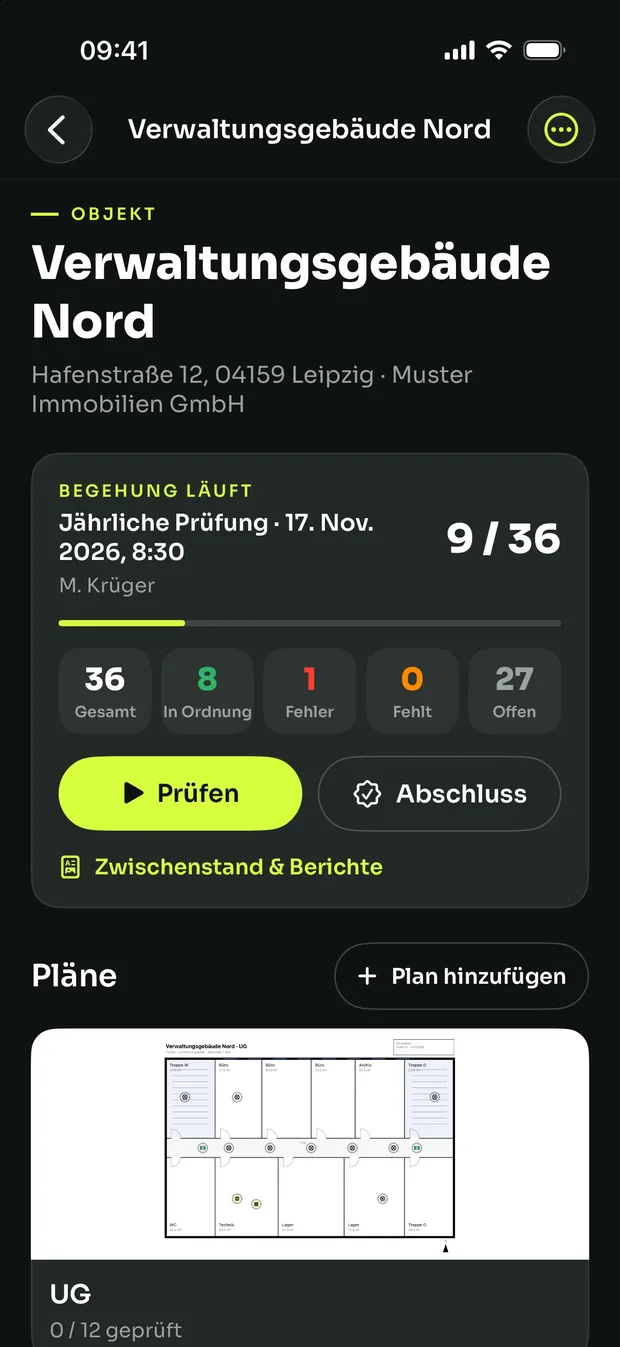
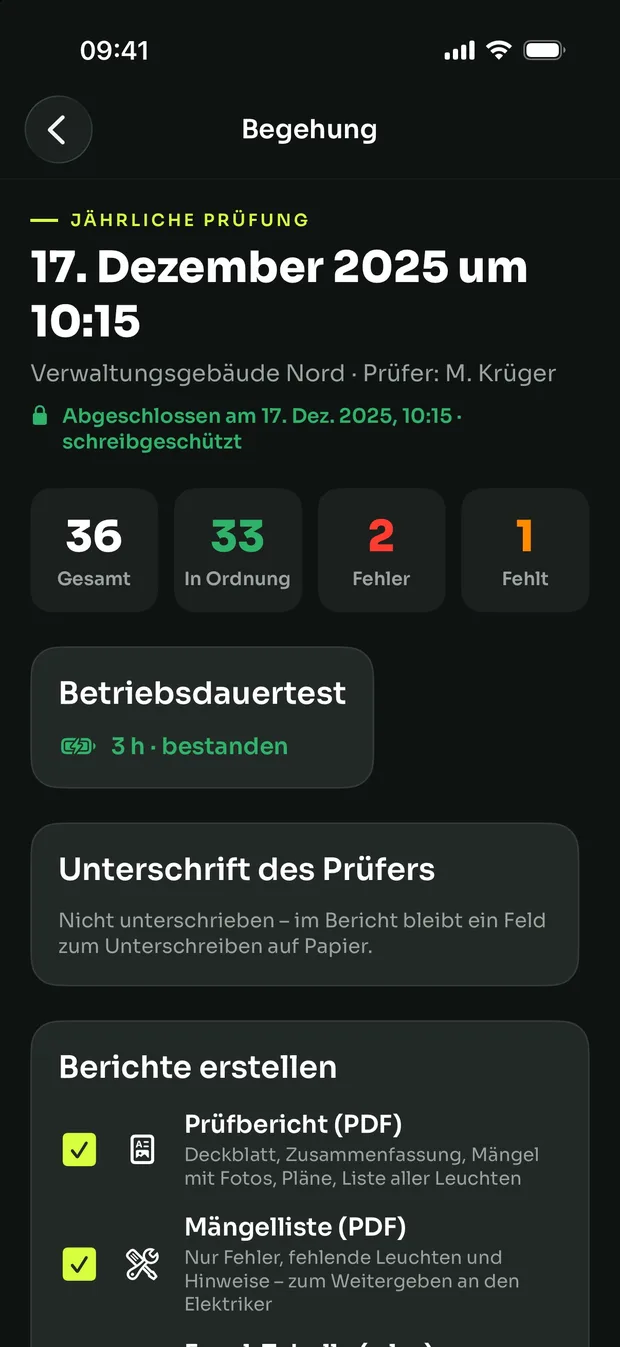
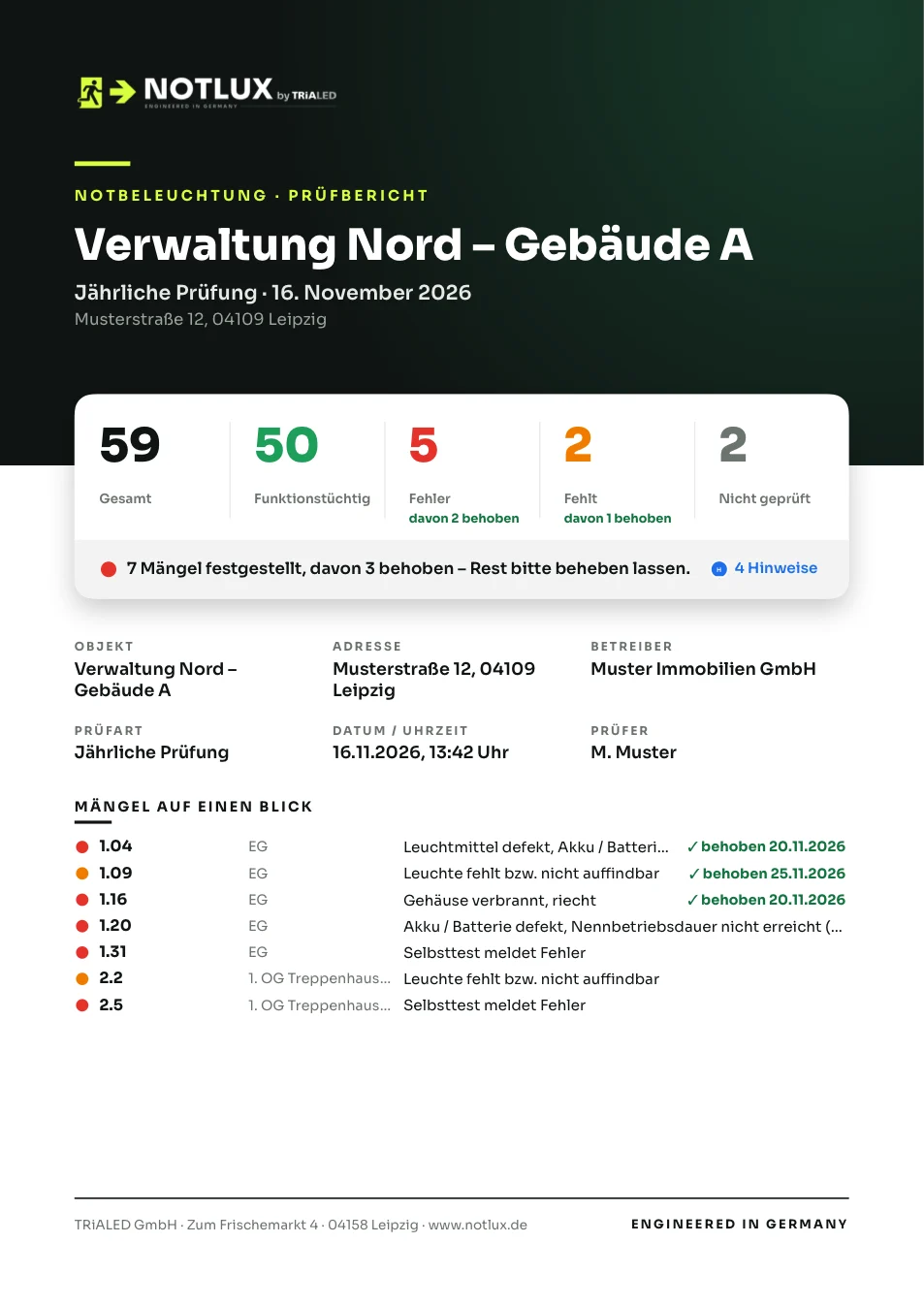
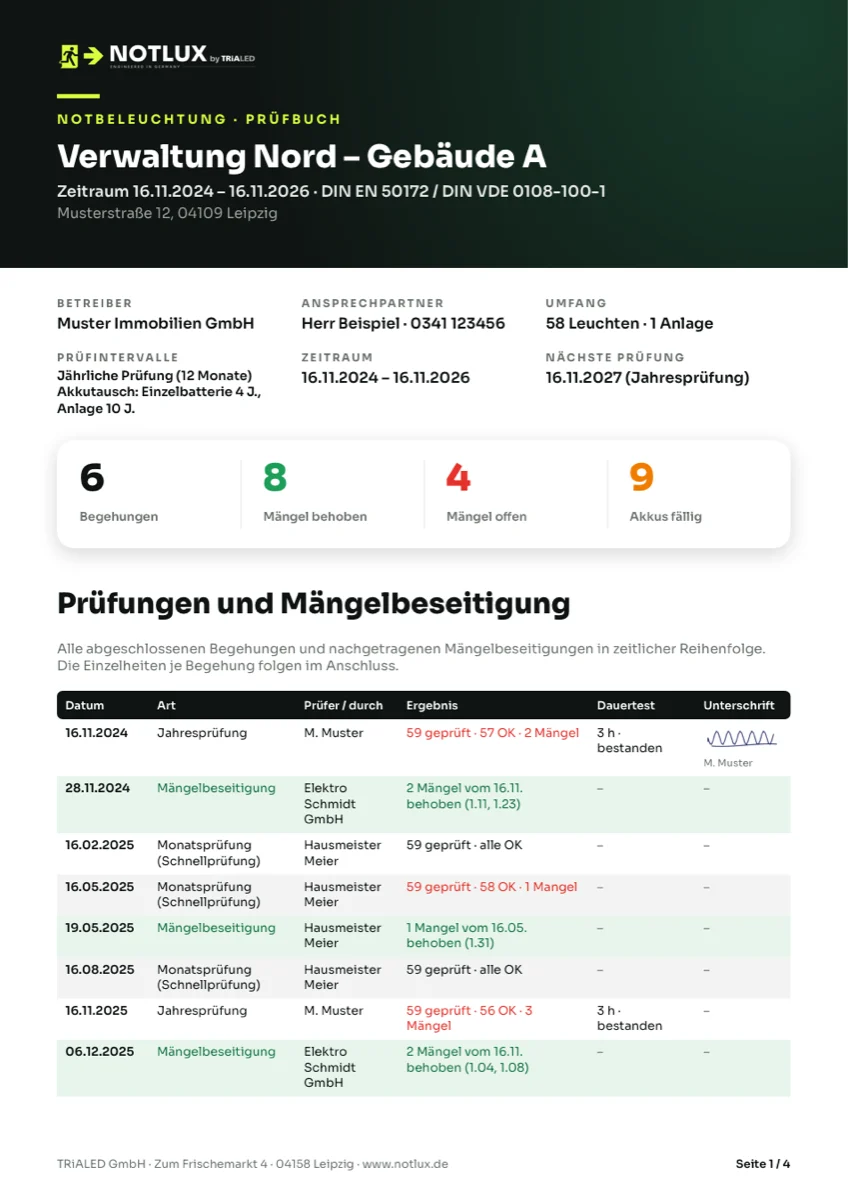
Test report and logbook from the app
Real app output with sample data (German).
Import an Excel list and test
Try the switch yourself – with a typical list.
Simplified browser view with sample data – the app itself is shown in the screenshots.
Frequently asked questions
Is a paper logbook still allowed?
Yes. EN 50172 requires a logbook but does not prescribe its form. What matters is that it is complete, traceable and available on site.
May I keep the logbook in Excel?
In principle, yes. The weak point is protection against later changes – save completed tests as PDF, for example.
Is a digital logbook app admissible?
Yes, if it is complete, traceable and protected against later changes. In NOTLUX Wartung completed walk-throughs are read-only and every change is logged with a timestamp.
Can I import my Excel list into the app?
Yes. NOTLUX Wartung imports Excel (.xlsx) and CSV – including lists with title rows, sub-headings, merged cells and one sheet per floor.
Everything about NOTLUX Wartung
See it with one of your sites
In a short online demo we show you NOTLUX Wartung – with one of your Excel lists if you like. Free and without obligation.