 NOTLUX WartungLogbook for emergency lighting

The digital emergency lighting logbook. Built from practice, for practice.
NOTLUX Wartung turns Excel lists into visual logbooks: you test existing emergency and escape lighting directly on the evacuation plan or room by room – for any manufacturer, on iPhone and iPad. Tap the luminaire or scan its QR code, record the result, done: test report, defect list and logbook are created at the push of a button. That saves time on site and above all in the follow-up.
Try it in your browser → · View on the App Store ↗ · free download, company account via NOTLUX
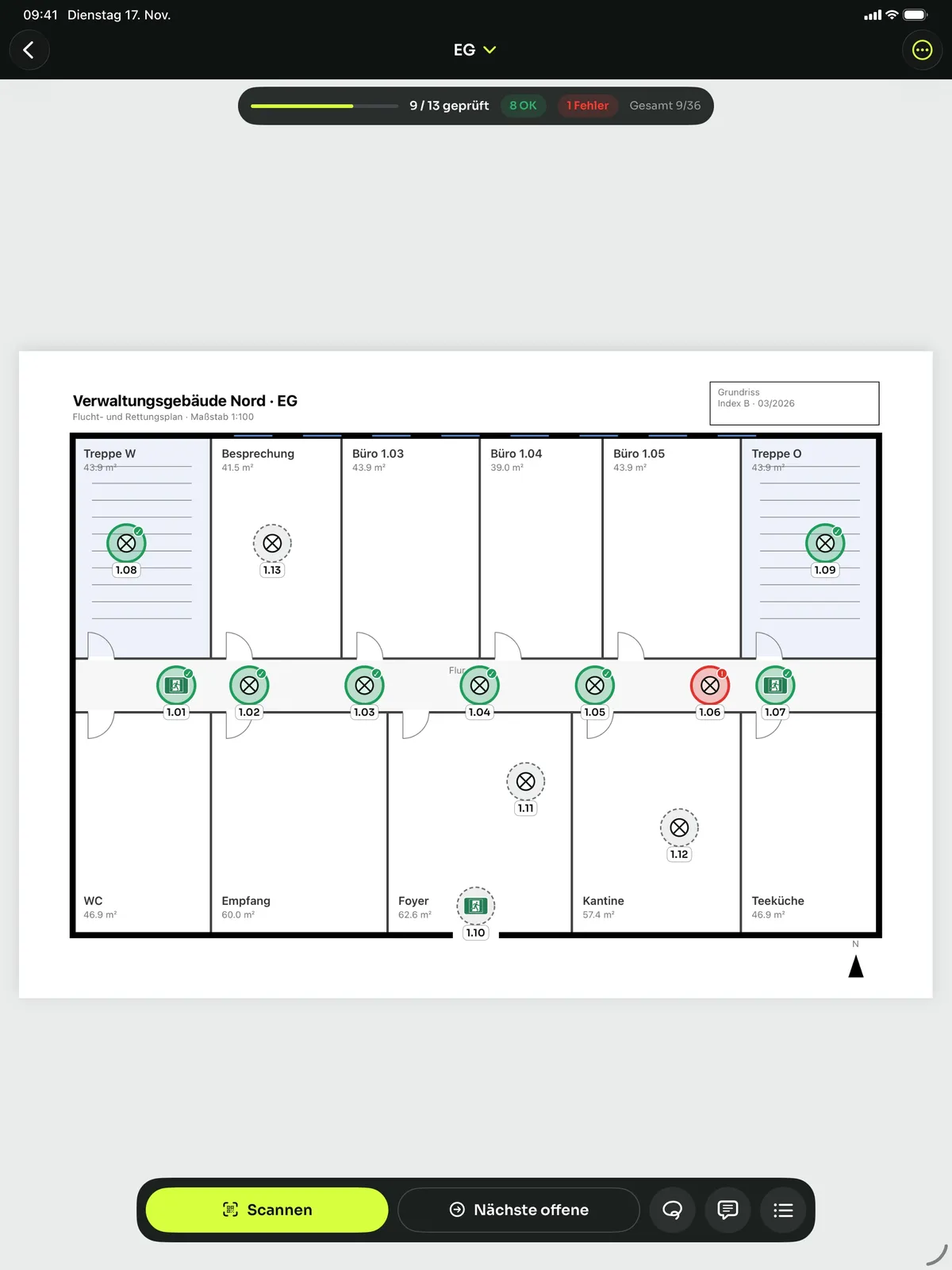
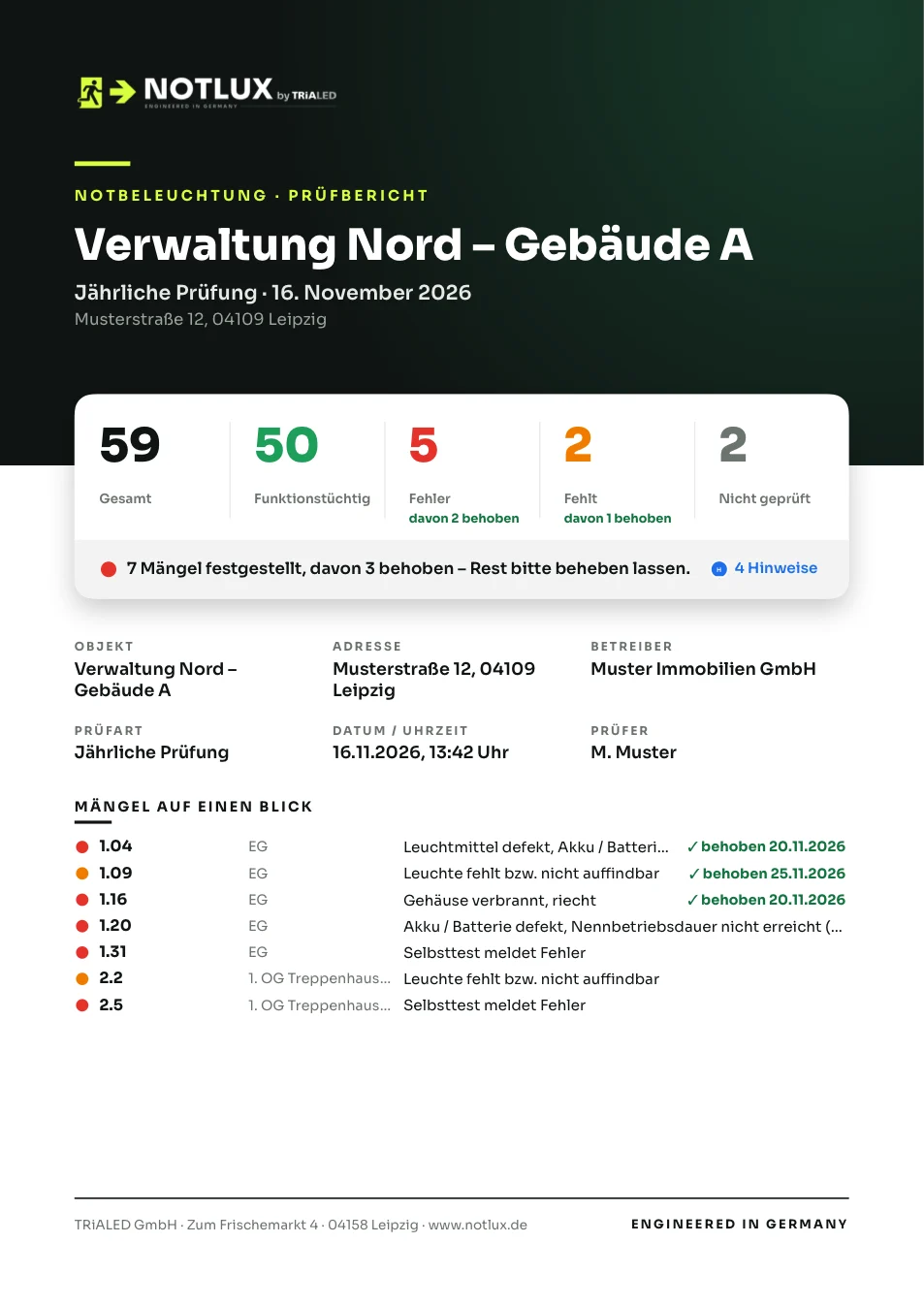
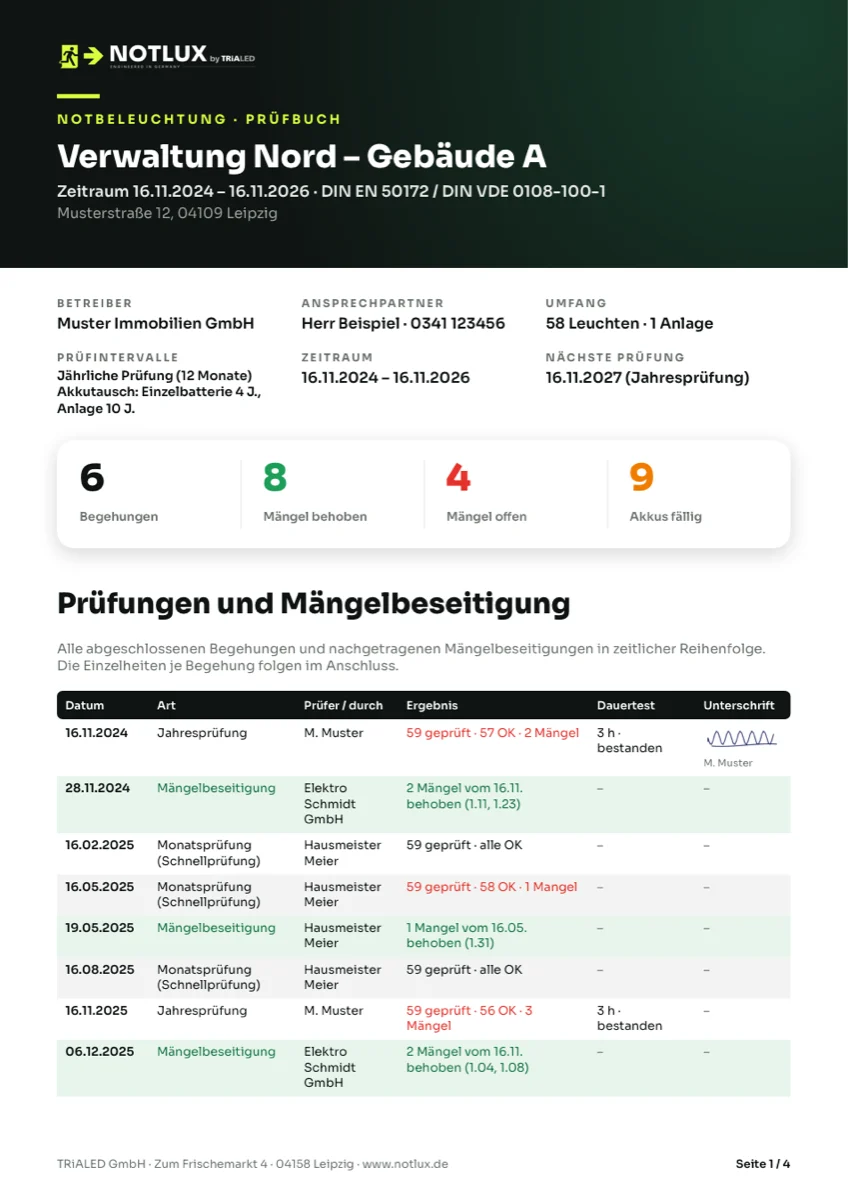
A digital emergency lighting logbook replaces the paper logbook and spreadsheets: every test of the emergency lighting is recorded electronically with date, tester, result per luminaire, defects and their rectification. With the NOTLUX Wartung app this happens directly on the evacuation plan on iPhone or iPad. When the walk-round is finished, the test report, defect list and EN 50172 logbook are ready as PDF. The app works with luminaires from any manufacturer, offline too, and stores data on servers in Frankfurt, Germany.
NOTLUX app or NOTLUX Wartung?
With our luminaires you control your emergency lighting simply by app – self-tests, faults and reports run automatically. NOTLUX Wartung is a separate product: the digital logbook testers use to check and document existing systems of any make by hand.
| NOTLUX app | NOTLUX Wartung | |
|---|---|---|
| What for | Your system with NOTLUX Series 19 luminaires | Existing emergency lighting of any make |
| How you get it | Part of the offer for your NOTLUX project – we set everything up | Separate product, independent of an installation by NOTLUX |
| Testing | Automatic: luminaires test themselves and report via Bluetooth mesh and gateway | By hand: the tester records each luminaire on the plan or room by room |
| Control | Control and monitor the system by app | No technical connection to the luminaires |
| Reports and logbook | Created automatically, PDF export | At a click after the walk-through, plus Excel export |
| Any manufacturer | No – for NOTLUX Series 19 luminaires | Yes – through manual documentation, not a technical link |
| Hardware | NOTLUX luminaires and gateway | Only iPhone or iPad |
| Remote maintenance by NOTLUX | From 2027, with maintenance contract | – |
| Devices | iPhone and iPad | iPhone and iPad |
Mixed installation? NOTLUX luminaires run via the NOTLUX app. Existing luminaires of other makes can be tested and documented alongside with NOTLUX Wartung.
Excel lists become visual logbooks
Import your existing luminaire list straight into the app – even with sub-headings, merged cells and one sheet per floor. It becomes a logbook fitters and testers can work with right away: on the plan or room by room. That saves time on site and above all in the follow-up.
Built from practice, for practice
At TRiALED we have been working with emergency and safety lighting for more than 15 years – in design, installation, testing and maintenance. We know the everyday problems of our customers: logbooks lying somewhere in a plant room, spreadsheets retyped after every walk-round, luminaire numbers that no longer match the plan, and documents that are only searched for when the fire inspection is due.
This experience went into NOTLUX Wartung. The app is built the way an inspection really works: plan in hand, a few taps per luminaire, without network if need be – and with a report that is already finished at the end.
What NOTLUX Wartung looks like
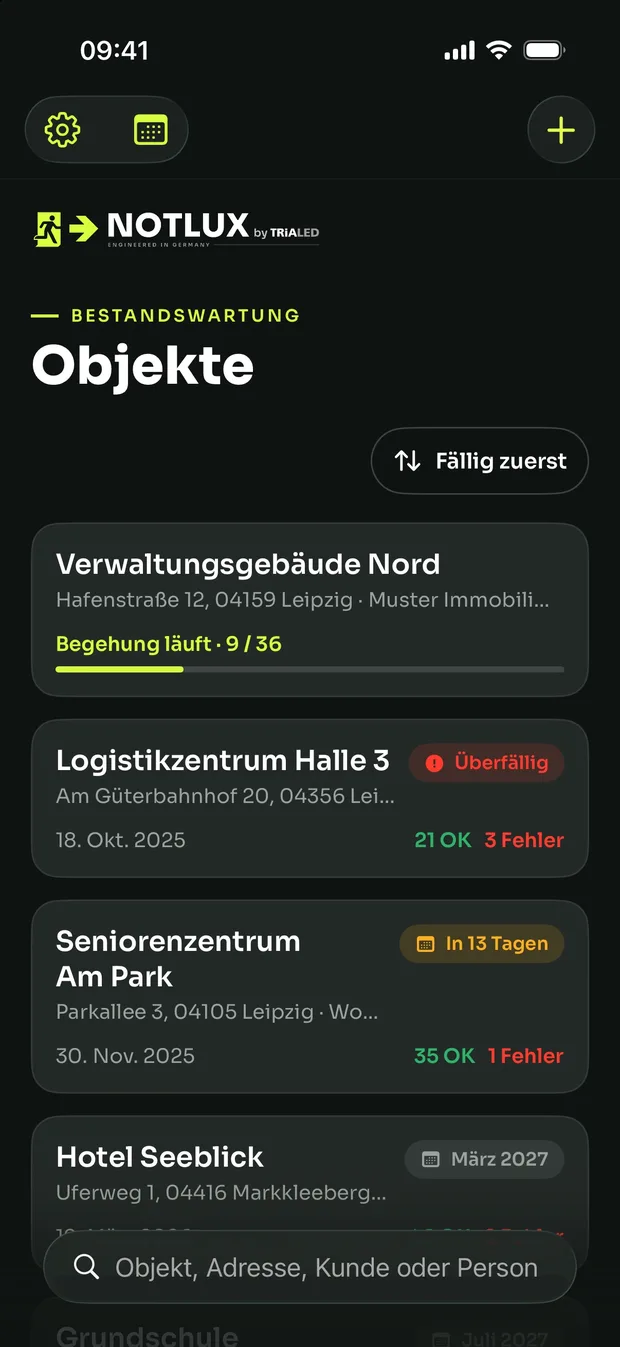
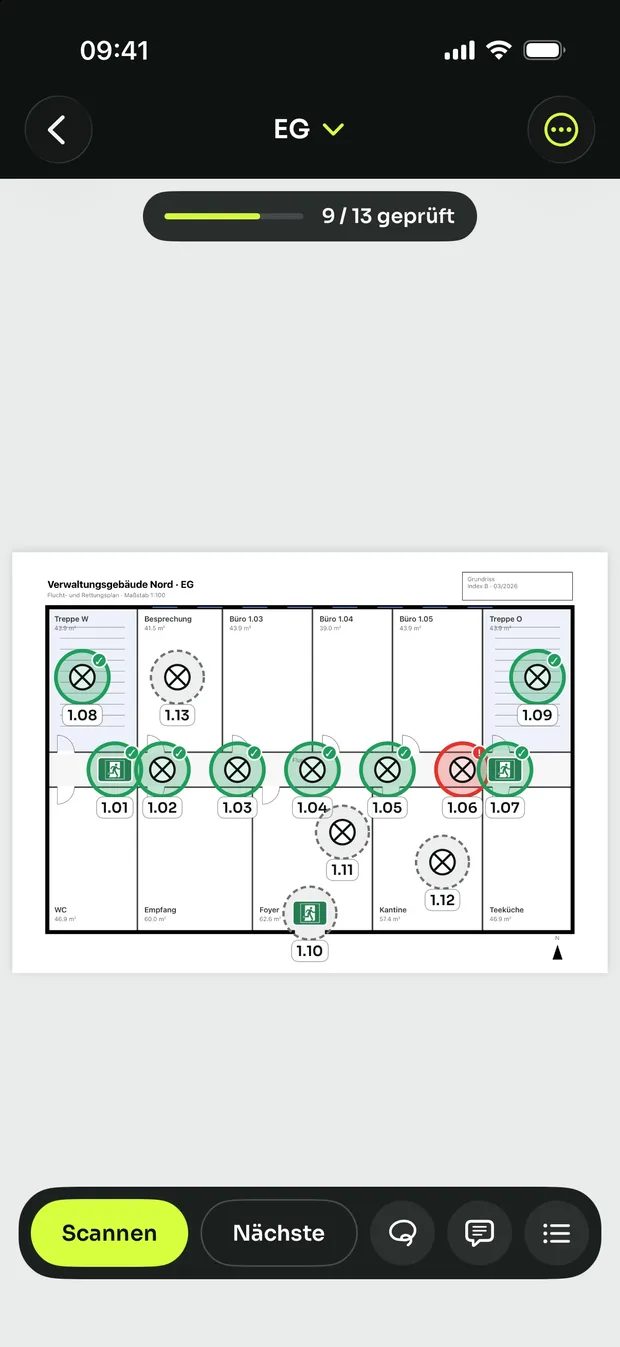
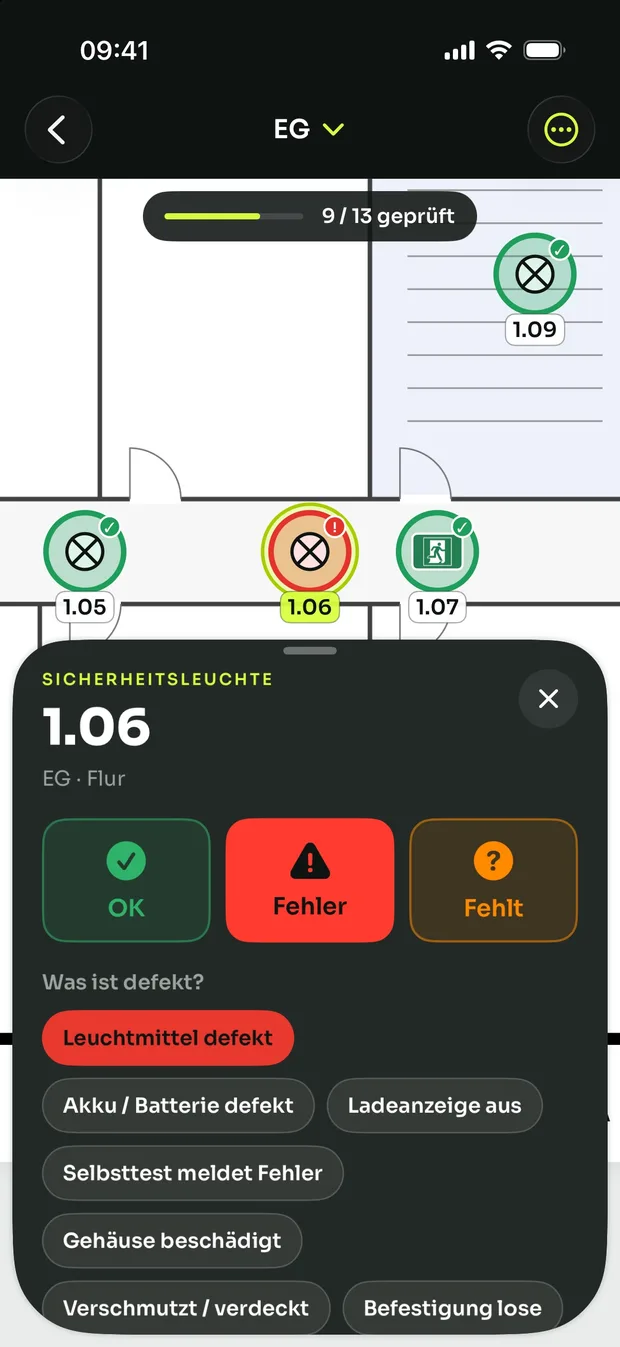
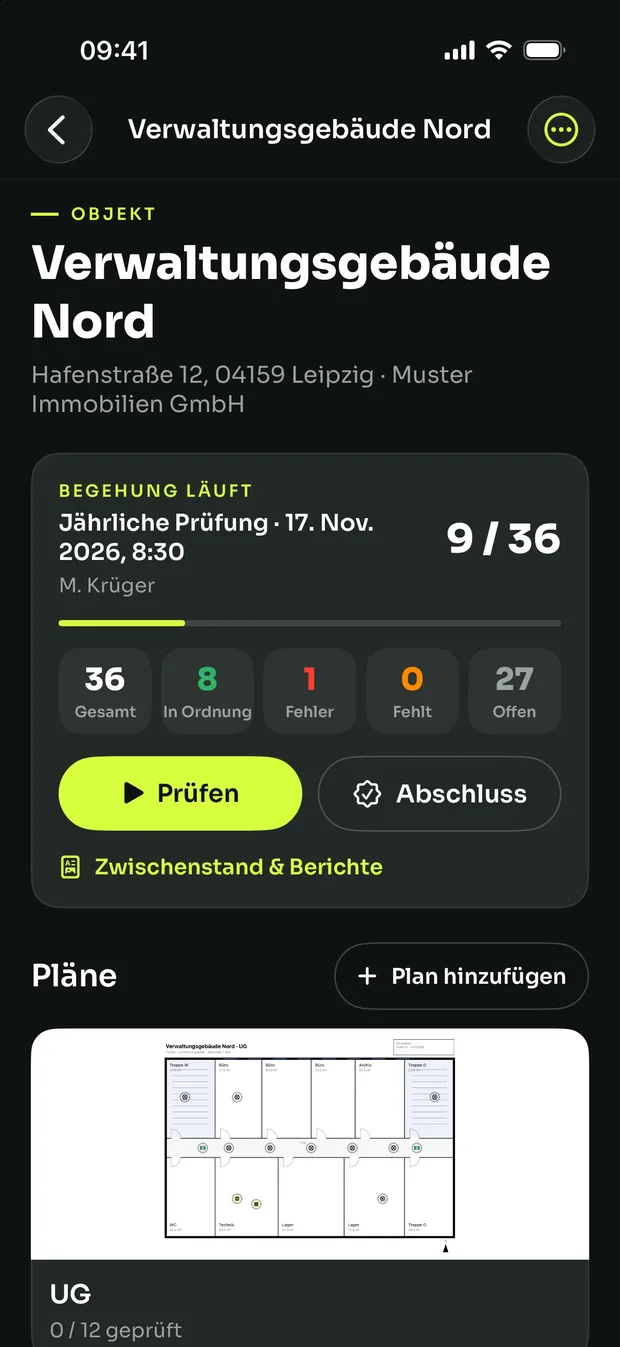
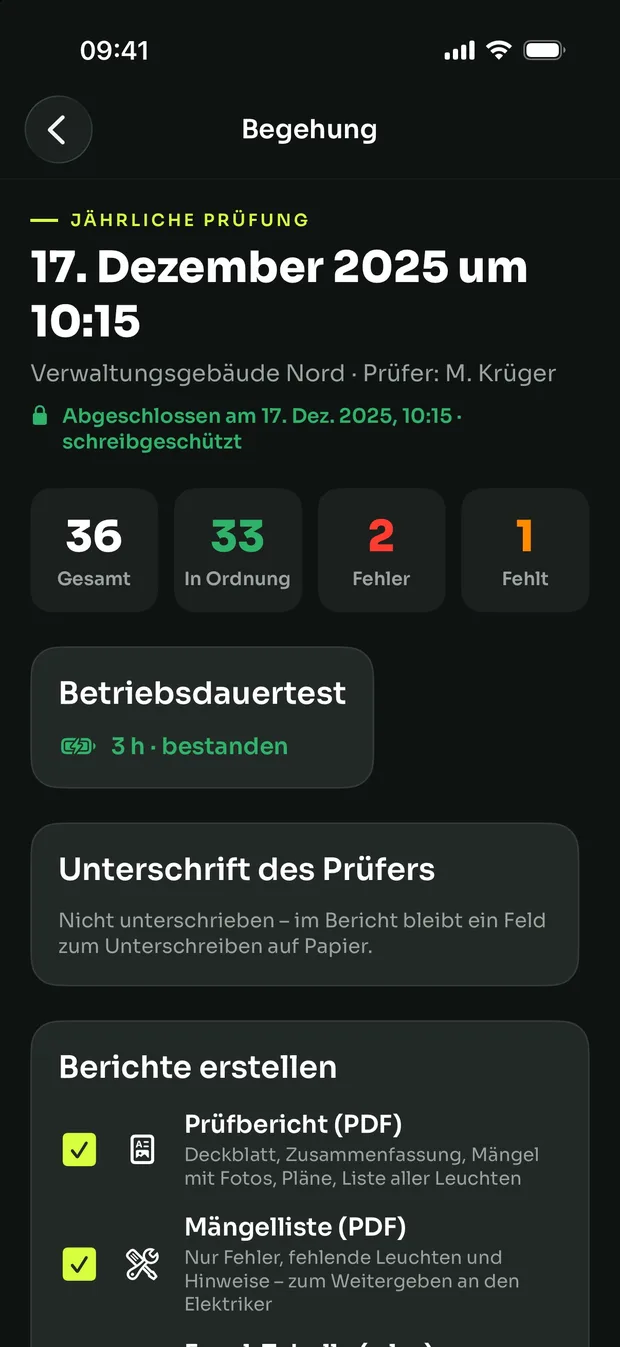
Screens with sample data. The app interface is currently in German.
Where you save time
When testing emergency lighting, the walk-round itself is rarely what takes longest – it is everything around it: preparing lists, retyping results, matching photos, writing reports, searching for documents. That is exactly what the app takes over.
| Until now: paper and spreadsheets | With NOTLUX Wartung |
|---|---|
| ×Print and check the luminaire list before every inspection | ✓All luminaires are ready on the plan – tap “new inspection” and start |
| ×Search the building for a luminaire, look up its number on the plan | ✓Scan the QR label or tap the luminaire on the plan – the right one is selected |
| ×Note results on paper and type them into a spreadsheet later | ✓OK, fault or missing on site – nothing is recorded twice |
| ×Find photos on the phone and match them to defects | ✓Photo directly on the defect, with cause and action |
| ×Compile the test report at the desk | ✓Test report, defect list and Excel as PDF – minutes instead of hours |
| ×Collect logbooks from several years for the fire inspection | ✓Fire inspection package with logbook, reports and proof of rectification at a click |
| ×Keep test dates in a calendar or in your head | ✓Due dates of all sites, reminders and follow-ups in the app |
Every feature for testing emergency lighting
Load evacuation plans or floor plans as PDF or take a photo. Place emergency luminaires, exit signs with arrow direction and central or group batteries directly on the plan. Import existing luminaire lists from Excel – the app numbers them per floor.
Annual and monthly tests: tap – OK, fault or missing. Quick test where you only tap the exceptions. Duration test for central and group batteries with rated and achieved time.
Record defects with photo, cause and action. Open defects stay visible until fixed – proof of rectification with date and action is ready as PDF at once.
Print label sheets from the app and stick them on the luminaires. Scanning selects the right luminaire immediately – scan instead of search.
Due dates of all sites at a glance, reminders before the next test, follow-ups and a hint on ageing batteries and battery systems.
Logbook over all years to EN 50172, test report with plans and photos, signature on the device and a fire inspection package for authorities, experts and insurers.
Sites are synchronised between your company’s devices. Several testers in the same building – changes are merged, nothing is overwritten.
Every entry is saved on the device immediately. Keep testing in basements, car parks or plant rooms – sync happens when you are back online.
Your data stays in Germany
Sign-in, team sync and files such as photos and plans are stored in a data centre in Frankfurt. All data is also kept on your devices.
We sign a data processing agreement with every customer. No tracking, no advertising, no sharing of test data.
NOTLUX sets up the accounts for your company. Each account is tied to one device – third-party sign-ins are excluded.
Test reports, logbook and Excel export at any time. Completed inspections are read-only and every change is logged with a timestamp.
Who NOTLUX Wartung is made for
Test your customers’ emergency lighting faster and deliver a professional report the same day – for any number of sites.
All buildings, due dates and open defects at a glance – and the proof is ready when the fire inspection comes.
Your own technicians carry out the monthly checks and document them completely – the annual test by the qualified electrician goes into the same logbook.
Licence and access NOTLUX Wartung is available as an annual company licence, tiered by number of luminaires. It includes all features and updates, unlimited sites and reports and an unlimited number of users. We set up the accounts for your company, train your team online and can be reached directly from the app. With a NOTLUX maintenance contract the app is already included. You receive your quote after a short demo.
NOTLUX Wartung or the NOTLUX app? NOTLUX Wartung is the digital logbook for existing emergency lighting of any make – you walk through the building and test on the plan. The NOTLUX app belongs to our Series 19 luminaires: they test themselves and report faults automatically via Bluetooth mesh and gateway. Both can be combined, for example when a building is switched to Series 19 step by step.
Everything about NOTLUX Wartung
Frequently asked questions
What is a digital emergency lighting logbook?
A digital logbook records every test of the emergency lighting electronically instead of on paper: date, tester, result per luminaire, defects found and their rectification. In NOTLUX Wartung it is created during the walk-round on the plan and can be exported as PDF at any time.
Is a digital logbook acceptable?
Yes. EN 50172 requires a logbook but does not prescribe paper. What matters is that records are complete, traceable, protected against later changes and available at any inspection. In NOTLUX Wartung completed inspections are read-only and every change is logged with a timestamp.
Does the app work with other manufacturers’ luminaires?
Yes. NOTLUX Wartung is manufacturer-independent. You place the existing luminaires, exit signs and battery systems on the plan – whether self-contained, central battery or group battery.
Where is the data stored?
On servers in Frankfurt am Main and also on your devices. We sign a GDPR data processing agreement with every customer. There is no tracking and no advertising.
Does NOTLUX Wartung work offline?
Yes. Every entry is saved on the device immediately, so you can keep testing in basements, car parks or plant rooms without network. Team sync happens as soon as there is a connection again.
Which devices does the app run on?
On iPhone and iPad. The iPad shows the plan particularly large, the iPhone is enough for quick checks in between. The interface is currently in German.
Where do I get NOTLUX Wartung?
Download the app free of charge from the App Store. To work with it you need a company account, which we set up for your company after a short demo.
How much time does a digital logbook save?
Most time is saved on follow-up work: results need not be retyped, photos need not be matched and reports need not be written by hand. The test report is finished when the inspection ends – minutes instead of hours. Preparing for a fire inspection becomes a single click.
What does NOTLUX Wartung cost?
There is an annual company licence, tiered by number of luminaires – with unlimited users, sites and reports and all updates. Alternatively, the app is part of a NOTLUX maintenance contract. You receive your quote after a short demo.
Does the app replace testing by a qualified electrician?
No. The app is the tool for testing and documentation. Which tests need a qualified electrician and which instructed persons may carry out is set by EN 50172 and the testing basis defined for the system. On request we carry out testing under our maintenance contract.
More on the logbook
Emergency Lighting Logbook: Free Template and What to Record
What must an emergency lighting logbook contain under EN 50172:2024, how long should it be kept and are digital logbooks allowed? With a sample entry.
Read articleEmergency Lighting Testing Intervals: Monthly, Annual, 5-Yearly
How often must emergency lighting be tested? Monthly, annual and 5-yearly intervals under EN 50172:2024, with national examples, a table and practical tips.
Read articleEmergency Lighting Inspections by Authorities and Experts
What do fire authority inspections and certified experts check on emergency lighting? Inspection cycles, a preparation checklist and consequences of defects.
Read articleEmergency lighting without worries.
Luminaires, installation and maintenance from a single source – every inspection documented digitally in our app. We start with a free on-site survey and standard-compliant design.