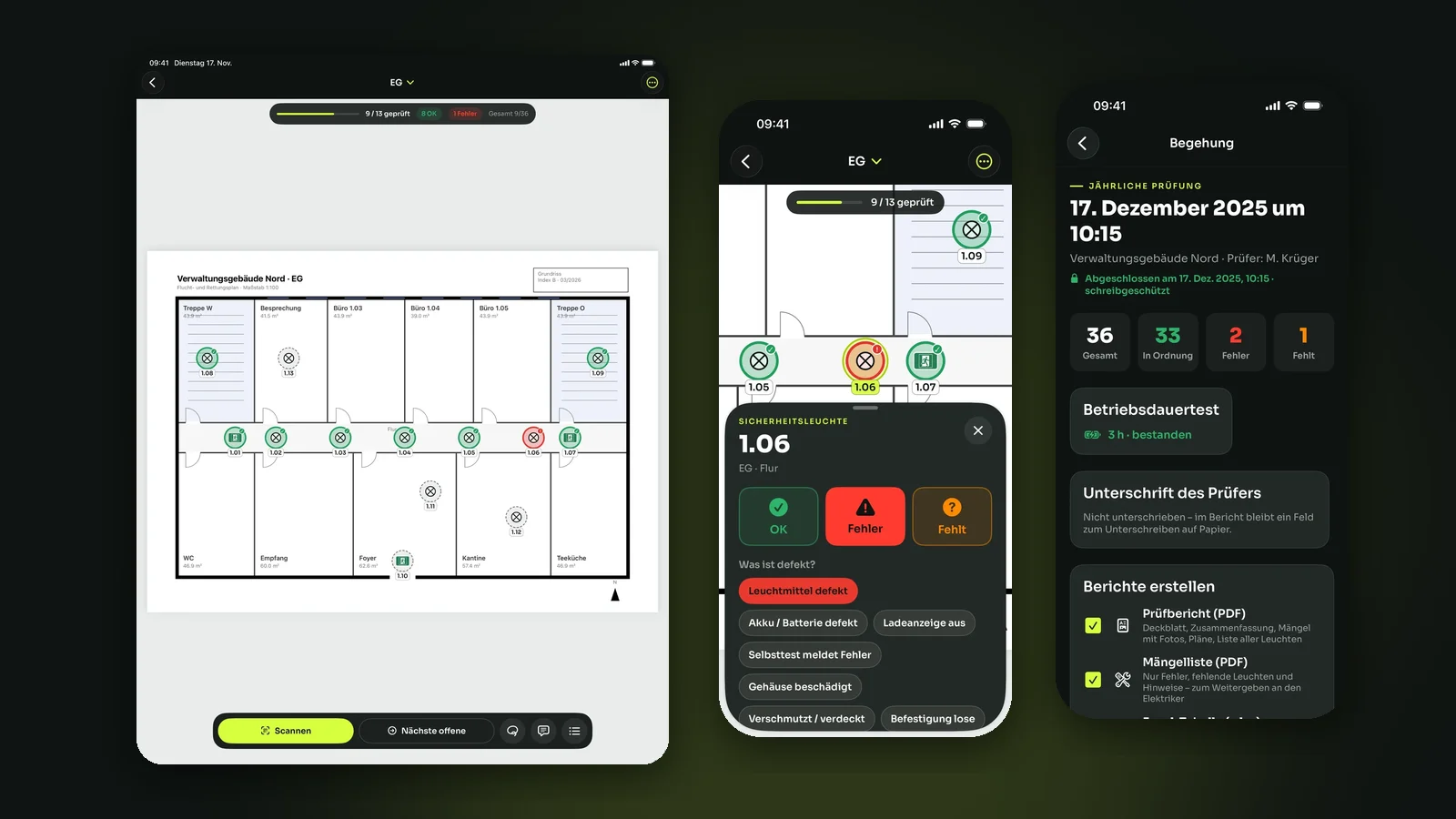
With version 1.2, NOTLUX Wartung imports existing Excel luminaire lists as they are – with subheadings, merged cells and one sheet per floor. Testing works on the plan or, without a plan, room by room. Your Excel list becomes a visual logbook, and the report is ready when the walk-round is finished.
Your Excel list stays as it is
Almost every company has one: the Excel list of all emergency luminaires, maintained for years, with title rows, floors as subheadings and abbreviations. Until now that meant printing the list, ticking it off and typing it up in the evening. NOTLUX Wartung now imports this list directly as an Excel file or CSV.
- Subheadings such as "Ground floor" or "Staircase north" are recognised as a floor or area.
- Merged cells: a room merged across several rows applies to all luminaires below it.
- One sheet per floor is imported as well.
One row per luminaire with a name is enough. The page Import an Excel list shows how the import works.
Testing without a plan: room by room
Not every building has an up-to-date evacuation plan. That is why you can now also test without a plan: room by room, directly from the list. If everything in a room is fine, one tap on "All OK" is enough – only deviations are recorded individually.
If you prefer to see the luminaires in the building, keep testing on the plan. Upload the plan as a PDF, take a photo of it or have NOTLUX create it.
More new features in version 1.2
- Reconciliation during the first survey: on the first round you compare the list with the building. Luminaires that are not found are marked, new ones added – after that the inventory is correct.
- Defect photo with the luminaire circled: the photo is attached directly to the defect, with the affected luminaire circled, plus cause and action.
- Two inspectors at the same time: one starts at the top, one at the bottom. Progress is synchronised, nothing is overwritten.
Saving time – on site and afterwards
On site, "All OK" saves most of the taps, because most rooms are fine. The biggest difference, however, is the follow-up work: nothing is typed up, no photos need to be matched, and the test report, defect list and EN 50172 logbook are ready straight after the walk-round. More on the page Save time.
Try it yourself
In the browser demo you import a sample luminaire list and test room by room – no installation needed. For your own building, we are happy to show you the app in a short demo: request a demo. All features at a glance: Digital emergency lighting logbook.
Emergency lighting without worries.
Luminaires, installation and maintenance from a single source – every inspection documented digitally in our app. We start with a free on-site survey and standard-compliant design.